



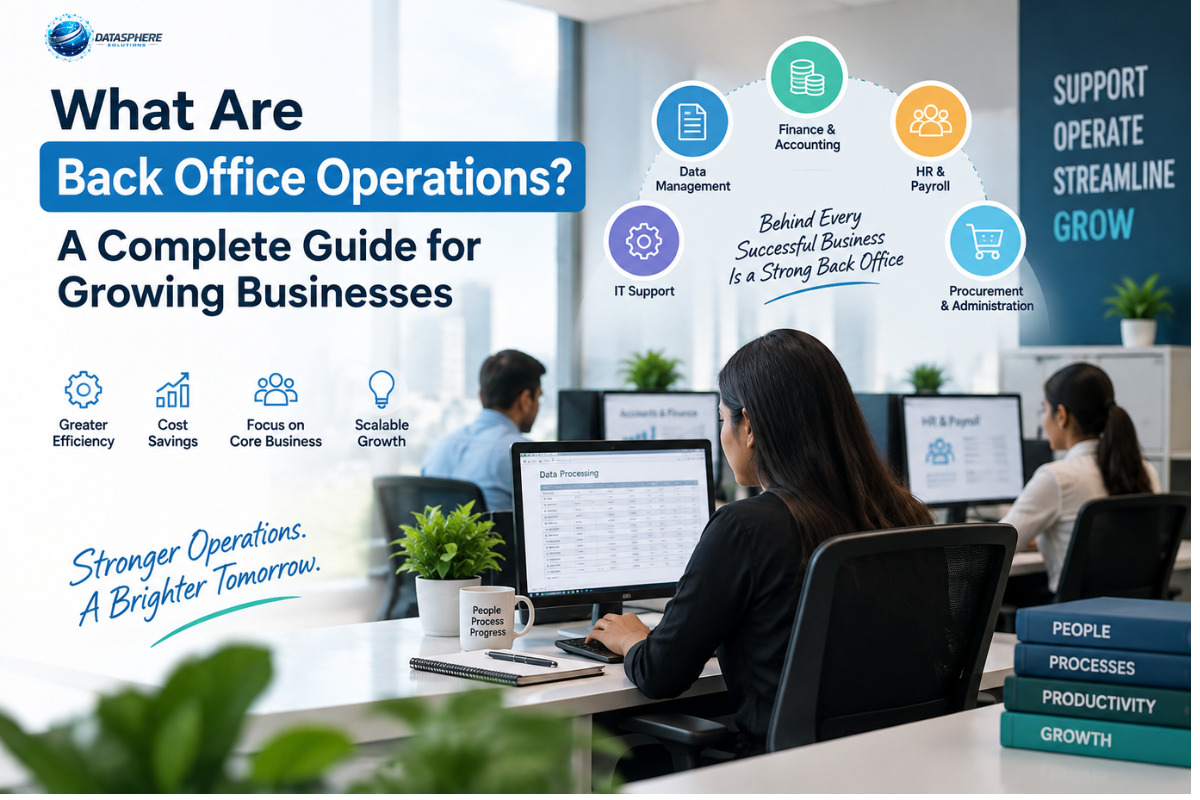
Back office operations are the essential behind-the-scenes activities that keep a business running efficiently. From finance and HR to IT, administration, procurement, and data management, these functions support daily operations and business growth. Effective back office processes can improve accuracy, reduce manual work, and help businesses scale smoothly.
What Are Back Office Operations?
Back office operations are the internal business activities that support a company's day-to-day operations without usually involving direct customer interaction. These activities can include accounting, human resources, payroll, information technology, data management, administration, compliance, procurement, documentation, and other support processes.
Although the back office may not be visible to customers, it plays an important role in keeping a business organized and functional.
For example, when a sales team wins a new customer, several internal processes may need to take place before the business can deliver its promise. Contracts must be recorded, customer information entered into the appropriate systems, invoices created, resources allocated, systems configured, and documentation maintained.
As companies grow, the number of customers, employees, transactions, suppliers, documents, and data increases. Without structured processes, this complexity can lead to duplicated work, delays, errors, missing information, and unclear responsibilities.
That is why businesses need back office operations that are organized, measurable, secure, and scalable.
Why Are Back Office Operations Important?
Back office operations provide the infrastructure that enables customer-facing and revenue-generating teams to work effectively.
Consider a company that closes a large sale. After the deal is completed:
- The contract needs to be recorded.
- Customer information needs to be entered into the appropriate systems.
- Finance may need to create an invoice.
- Operations may need to schedule delivery.
- Legal or compliance teams may need to review documentation.
- IT may need to provision accounts or system access.
- Management may need the transaction included in reporting.
These activities may happen behind the scenes, but they directly support the company's ability to deliver its products or services.
Effective back office operations can help businesses:
- Maintain accurate records
- Process transactions efficiently
- Support employees
- Control administrative workloads
- Protect business information
- Improve internal communication
- Meet applicable regulatory requirements
- Produce reliable management reports
- Reduce unnecessary manual work
- Scale operations more efficiently
The back office should therefore not be viewed simply as an administrative cost center. It is an important part of the operating foundation of a business.
What Functions Are Part of the Back Office?
The exact structure of a back office varies by company and industry. A technology startup may have different requirements from a manufacturer, bank, healthcare organization, retailer, or professional services firm.
Common back office functions include:
1. Accounting and Finance
Finance teams may manage:
- Accounts payable
- Accounts receivable
- Invoicing
- Expense processing
- Financial record keeping
- Reconciliation
- Budget support
- Financial reporting
Accurate financial processes help management understand the company's financial position and support informed decision-making.
2. Human Resources
HR is another major back office function. Typical responsibilities include:
- Recruitment administration
- Employee records
- Payroll coordination
- Benefits administration
- Employee on-boarding
- Training administration
- Leave management
- Policy administration
As the workforce grows, HR processes often require greater structure and automation.
3. Information Technology
IT supports the systems and technology employees depend on every day.
Back office IT activities may include:
- User account management
- Hardware and software support
- System administration
- Data security
- Access management
- Technical troubleshooting
- Software implementation
- IT documentation
Reliable IT operations can reduce disruptions and help employees remain productive.
4. Administration
Administrative teams may handle:
- Scheduling
- Document management
- Record keeping
- Internal coordination
- Meeting administration
- Office support
- Data entry
While individual administrative tasks may seem small, large volumes of repetitive work can consume significant employee time.
5. Compliance and Risk Support
Some organizations require dedicated compliance processes, including:
- Maintaining required records
- Reviewing internal procedures
- Monitoring compliance activities
- Supporting audits
- Managing documentation
- Tracking regulatory requirements
The exact responsibilities depend on the organization's industry and jurisdiction.
6. Procurement
Procurement teams help businesses obtain the goods and services they need.
Activities may include:
- Supplier management
- Purchase orders
- Vendor documentation
- Pricing comparisons
- Contract administration
- Purchasing approvals
- Invoice coordination
Well-designed procurement processes can improve visibility into company spending and supplier relationships.
7. Data Management
Modern businesses generate large amounts of information. Back office teams may therefore be responsible for:
- Data entry
- Record maintenance
- Database updates
- Information validation
- Reporting
- Document management
- Data quality
Accurate data becomes particularly important when managers rely on reports to make operational decisions.
Back Office Operations Examples
Back office operations differ across industries, but the underlying purpose remains similar: supporting the organization through internal processes.
E-commerce Business
An online retailer may use back office processes for:
- Inventory records
- Supplier coordination
- Order administration
- Refund processing
- Accounting
- Employee management
- Product data management
Professional Services Company
A consulting or agency business may rely on:
- Time sheet processing
- Invoicing
- Payroll administration
- Contract management
- Expense management
- Project documentation
- Employee on boarding
Healthcare Organization
Depending on its structure and applicable regulations, a healthcare organization may have back office processes involving:
- Administrative records
- Billing
- Scheduling support
- HR
- Finance
- IT
- Compliance documentation
Manufacturing Company
Manufacturers may use back office operations for:
- Procurement
- Supplier records
- Payroll
- Finance
- Production documentation
- Inventory administration
- Compliance support
The common theme is that these activities support the organization without necessarily being the primary customer-facing interaction.
Back Office vs. Front Office
The simplest way to understand the difference is to consider who each function primarily serves.
The distinction is not always absolute. For example, an operations employee may communicate directly with customers in one company but work entirely internally in another.
Businesses should therefore define responsibilities according to their actual workflows rather than relying only on department names.
Front office and back office operations work together. Sales depends on accurate contracts and billing, customer service may depend on reliable customer records, and management relies on financial and operational data to make informed decisions.
Back Office vs. Middle Office
The term middle office is most commonly used in specialized financial and investment environments.
A middle office may sit between revenue-generating front office activities and operational back office functions. Depending on the organization, it can involve areas such as:
- Risk management
- Transaction oversight
- Compliance
- Controls
- Technology
The distinction is particularly relevant in financial services, where front, middle, and back office responsibilities may be separated more clearly.
For most small and growing businesses, however, the more important distinction is between customer-facing activities and internal operational support.
How Do Back Office Operations Work?
A strong back office typically operates through repeatable and documented workflows.
A typical process can follow this structure:
Request → Data Capture → Review → Approval → Processing → Record keeping → Reporting
For example, consider a supplier invoice:
- The invoice arrives.
- An employee records the information.
- The information is checked.
- The invoice is matched against relevant purchasing records.
- The appropriate person approves it.
- Finance processes the payment.
- The transaction is recorded.
- Management reporting is updated.
Documented workflows make responsibilities clearer and reduce dependence on individual employees remembering what to do.
As a business grows, standard operating procedures, software, approval rules, dashboards, and automation can make these workflows easier to manage.
Benefits of Effective Back Office Operations
Better Operational Efficiency
Standardized workflows can reduce unnecessary steps and make responsibilities clearer.
Greater Scalability
Documented and automated processes can help businesses handle higher transaction volumes without increasing administrative complexity at the same rate.
Improved Accuracy
Validation steps, standardized forms, system controls, and review procedures can reduce avoidable mistakes.
Better Visibility
Centralized records and reporting can help managers understand what is happening across the organization.
Stronger Employee Experience
Clear procedures reduce the time employees spend searching for information or figuring out inconsistent processes.
Better Customer Service
Back office performance can indirectly affect the customer experience. Faster order processing, accurate billing, reliable systems, and organized records can support customer-facing teams.
Streamline Your Back Office Operations
Improve efficiency, reduce manual work, and build scalable processes with the right technology and automation. Explore how modern back office solutions can help your business operate smarter and grow with confidence.
Common Back Office Challenges
Growing companies commonly encounter several operational challenges.
Manual Processes
Employees may rely heavily on spreadsheets, emails, paper documents, or repetitive data entry.
Process Inconsistency
Different employees may perform the same task differently, resulting in inconsistent outcomes.
Poor Documentation
When procedures exist only in an employee's memory, the organization can become overly dependent on individuals.
Data Silos
Information may be scattered across spreadsheets, applications, email accounts, and physical documents.
Limited Visibility
Managers may struggle to determine how long processes take or where work is getting stuck.
Too Many Approvals
Excessive approval layers can slow routine activities without providing proportional value.
Security Risks
Poor access controls or outdated systems can expose sensitive business information.
Scaling Problems
A process that works for 20 employees may become inefficient when the company grows to 200 employees.
The solution is not always to hire more people. In some cases, redesigning and simplifying the process can address the underlying problem.
How Technology Improves Back Office Operations
Technology can make many back office workflows faster, more consistent, and easier to monitor.
Common technologies include:
- Enterprise resource planning systems
- Accounting software
- Human resource management systems
- Customer relationship management platforms
- Document management systems
- Workflow automation
- Robotic process automation
- Business intelligence tools
- Cloud storage
- Digital approval systems
- Artificial intelligence tools
For example, instead of manually copying invoice information between systems, a business can use software to capture information, route invoices for approval, and record the results.
However, automation should not simply reproduce a poor process at a higher speed.
Businesses should first understand the workflow and remove unnecessary steps.
A practical modernization approach is:
Map → Simplify → Standardize → Automate → Measure → Improve
This helps businesses focus technology investments on genuine operational problems.
Should You Outsource Back Office Operations?
Some businesses outsource selected back office functions to external providers through business process outsourcing (BPO).
Potentially outsourced activities include:
- Accounting support
- Payroll administration
- Data entry
- HR administration
- IT support
- Document processing
- Procurement support
- Administrative services
Outsourcing may be useful when a company lacks internal expertise, needs additional capacity, or wants employees to focus on higher-value activities.
However, outsourcing is not automatically the right choice for every business.
Before outsourcing, consider:
- Is the process clearly documented?
- Does the provider have relevant expertise?
- What information will be shared?
- How will quality be monitored?
- What service levels are required?
- How easily can the company change providers?
- What happens if the service fails?
- Are the expected benefits greater than the total cost?
Sensitive or business-critical processes may require additional controls and careful vendor management.
How to Improve Back Office Operations
Growing businesses can improve their back office through a structured approach.
Step 1: List Your Processes
Document recurring activities across finance, HR, IT, administration, procurement, and other support areas.
Step 2: Identify Bottlenecks
Look for delays, repeated data entry, unnecessary approvals, duplicate work, and frequent errors.
Step 3: Assign Ownership
Every important process should have a clearly responsible person or team.
Step 4: Document Standard Procedures
Create simple instructions for recurring tasks so employees can follow consistent processes.
Step 5: Establish Service Standards
Define expected turnaround times and quality requirements where appropriate.
Step 6: Centralize Important Information
Reduce unnecessary dependence on scattered spreadsheets and individual inboxes.
Step 7: Automate Repetitive Tasks
Prioritize high-volume, rule-based activities that do not require significant judgment.
Step 8: Monitor Performance
Use KPIs to determine whether process improvements are actually producing results.
Step 9: Review Regularly
Processes should evolve as the company, workforce, technology, and business requirements change.
Back Office KPIs to Track
The right KPIs depend on the function, but businesses can consider metrics such as:
KPIs should be used to improve processes rather than simply to pressure employees.
Back Office Operations Best Practices
For growing companies, several principles can improve back office performance.
Keep Processes Simple
Every unnecessary step creates additional work.
Document Critical Workflows
Important processes should not depend entirely on one employee's memory.
Use Clear Ownership
Employees should understand who performs, reviews, approves, and monitors each process.
Protect Sensitive Information
Use appropriate access controls, authentication, backups, and security procedures.
Standardize Repetitive Work
Templates, checklists, forms, and workflow rules can reduce unnecessary variation.
Automate Carefully
Automate stable and repetitive processes first while maintaining appropriate human review for tasks that require judgment.
Measure Outcomes
Do not assume that a new software system or process has improved performance. Compare relevant KPIs before and after implementation.
Review Processes Regularly
A workflow designed for a small company may not remain effective as the business grows.
Frequently Asked Questions
1. What are back office operations in simple terms?
Back office operations are the internal activities that help a business function but usually do not involve direct customer interaction. Common examples include finance, HR, IT, administration, data management, procurement, and compliance support.
2. What is an example of a back office operation?
Processing an invoice is a simple example. The business receives the invoice, records the information, checks it, obtains approval, processes the payment, and updates its financial records.
3. What is the difference between back office and front office?
The front office generally focuses on customer-facing activities such as sales, marketing, and customer service. The back office focuses on internal activities such as finance, HR, IT, administration, and operational support.
4. Why are back office operations important for small businesses?
They create the systems and processes needed to keep a business organized as it grows. Effective back office operations can improve record keeping, employee support, financial administration, workflow consistency, and operational visibility.
5. Can back office operations be outsourced?
Yes. Businesses can outsource selected functions such as accounting support, payroll administration, data processing,** IT support**, HR administration, and other business processes. The suitability of outsourcing depends on cost, expertise, security, quality requirements, and business risk.
6. How can technology improve back office operations?
Technology can automate repetitive work, centralize information, reduce manual data entry, improve reporting, route approvals, and provide better visibility into operational performance. Businesses should simplify and standardize processes before automating them.
7. What jobs are considered back office jobs?
Common back office roles include accountants, finance assistants, HR professionals, payroll specialists, IT support staff, data analysts, administrative employees, procurement specialists, compliance professionals, and operations coordinators.
8. Are back office operations only for large companies?
No. Businesses of all sizes have back office activities. A small business may manage them with a few employees, while a larger organization may have dedicated departments and specialized systems.
Conclusion
Back office operations are the internal processes that keep a business running behind the scenes. They can cover finance, accounting, HR, IT, administration, procurement, data management, compliance, documentation, and many other functions.
For growing businesses, the goal should not simply be to perform more administrative work. The goal is to build organized, measurable, secure, and scalable processes.
A practical approach is to document existing workflows, identify bottlenecks, eliminate unnecessary steps, assign clear ownership, standardize repetitive activities, introduce suitable technology, and measure results.
Businesses can also consider outsourcing selected processes when an external provider can deliver the required expertise, capacity, quality, and security.
Ultimately, strong back office operations give customer-facing teams the support they need to perform effectively. When the back office is organized, the entire business has a stronger operational foundation for sustainable growth.